Best Ways to Stay Warm at a Desk Without a Space Heater
If you’ve ever sat at your desk wrapped in a cardigan, hands too stiff to type properly, you already know the problem. Cold offices are genuinely frustrating, and the fix isn’t always as simple as cranking up the thermostat.

Whatever the reason, whether the building controls the heat, space heaters aren’t allowed, or you’re working from home and watching the heating bill, staying warm at a desk without a space heater is completely doable. There are quite a few practical strategies that actually work, and some are surprisingly simple.
Cornell University found that raising office temperature from 68°F to 77°F over a month-long study cut typing errors by 44 percent and raised typing output by 150 percent. Staying warm affects how well you work, not just how you feel.
1Layer Your Clothing Strategically
This one sounds obvious, but there’s a bit of technique to it. Start with a moisture-wicking base layer to keep sweat away, then add an insulating layer like a sweater or fleece to trap warmth.
The less obvious part: don’t forget your head and neck. Heat escapes more easily through the head, so a scarf, buff, or polo neck helps prevent warmth from rising out of your clothing at the neck. Fingerless gloves are worth keeping at your desk too. They let you type without restriction while keeping your hands warmer. Wool and fleece hold warmth better than cotton when you’re sitting still, and a thick pair of socks makes a bigger difference than most people expect.
2Warm Up From the Inside
A thermos of hot tea or coffee does more than just taste good, drinking warm liquids helps raise your body temperature. Keeping an insulated mug at your desk means you’re not constantly reheating drinks or walking to the kitchen.
Hydration matters too, and it’s easy to overlook in cold weather. Staying on top of water intake supports healthy blood flow to your hands and feet, which is often part of why they feel cold at a desk. Hot soup in a thermos is another good option if you’re working through lunch, adding warmth and steady energy without a sugar crash.
3Use Heated Desk Accessories
This is where things get genuinely practical if you’d rather not pile on layers. These accessories target exactly where desk workers lose warmth first, and most are low-wattage and low-cost.
Heated Keyboard, Mouse & Desk Mat
Plugs in via USB and warms your fingers as you work.
Heated Seat Cushion
Sitting on a cold chair pulls heat from your body. A heated cushion addresses that directly, and works well in shared offices since it’s personal warmth.
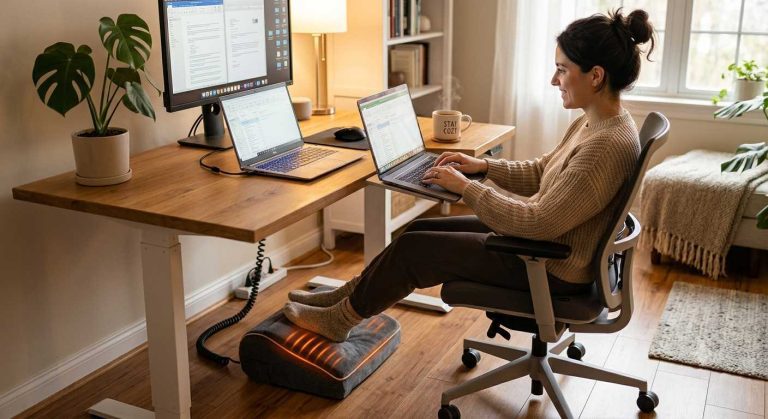
Heated Footrest
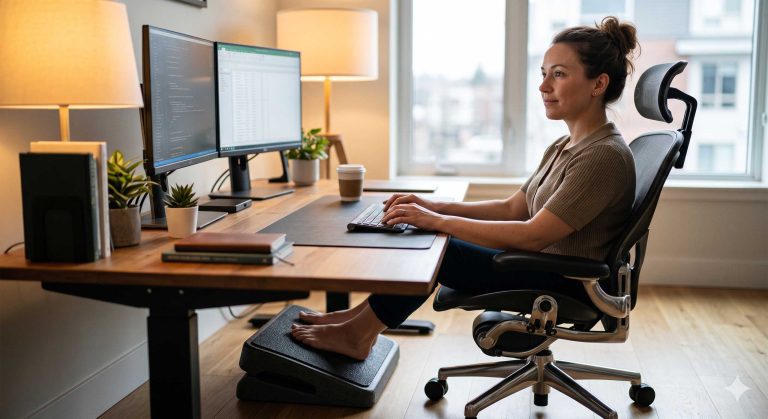
Sits under your desk and keeps your lower body warm. Cold feet contribute a lot to the overall feeling of being chilly, even when the rest of you is fine.
Electric Throw or Blanket
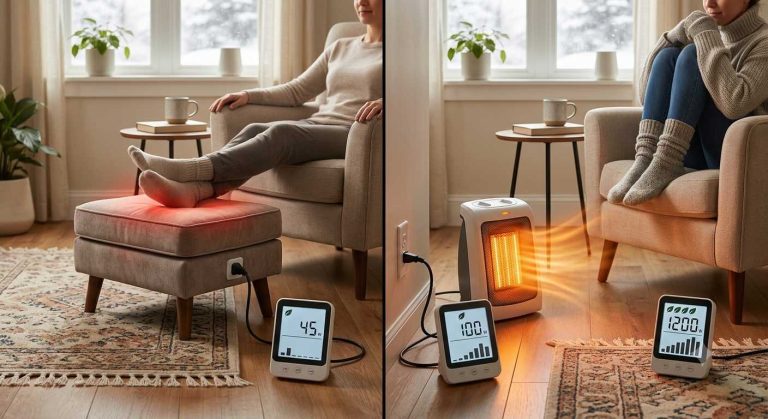
It’s more efficient to heat your body directly than the air around you. Wrap it over your shoulders or legs for warmth you control.
4Move More Often
Sitting still for hours is one of the biggest reasons people feel cold. Around three-quarters of the energy used during exercise comes out as heat, and even stepping up and down a bottom stair can start raising your body temperature within a few minutes.
You don’t need a treadmill desk or a long walk, though both help. Arm circles, leg lifts, or a quick lap around the office every 45 minutes noticeably raises your comfort level. A standing desk also helps, since standing engages more muscle groups and generates more warmth than sitting in one position for hours.
5Manage Your Workspace Environment
Small environmental changes make a decent difference even if you can’t control the building’s heating. Position yourself near existing heat sources like radiators or sunny spots when possible, and keep your desk away from windows, external walls, and doors to reduce drafts. Working from home? Closing the office door keeps heat more concentrated where you’re actually using it.
Bare floors act as heat thieves, so a rug in your home office helps retain warmth. Draft excluders along the base of doors and thermal curtains on cold windows also make a meaningful difference, and soft furnishings like cushions and throws absorb and hold heat rather than reflecting it.
Warm Up Where It Counts
Browse heated footrests and seat cushions built for desk use.
Shop Heated Desk AccessoriesConclusion
Staying warm at a desk without a space heater comes down to a few simple priorities: dress in proper layers, drink something warm, add targeted heated accessories where your body loses heat first (hands, feet, core), and move a little more often. Small workspace adjustments help too, particularly reducing drafts and adding insulating materials.
None of these require a big investment or a conversation with facilities. Most can be sorted with things you already own or inexpensive accessories you can keep at your desk. Once you’ve addressed the basics, you might be surprised how much more focused you feel, and how much less time you spend thinking about how cold you are.
Quick Questions
Does office temperature really affect productivity?
Cornell University research found that raising office temperature from 68°F to 77°F over a month cut typing errors by 44 percent and raised output by 150 percent.
What’s the fastest way to warm up at a desk?
A quick burst of movement, like a lap around the office or a few minutes on a stairstep, can start raising your body temperature within minutes.
Are heated seat cushions safe for shared offices?
Yes. They provide personal warmth without affecting the temperature or comfort of coworkers nearby.
- Hedge, Alan. “Study Links Warm Offices to Fewer Typing Errors and Higher Productivity.” Cornell University, presented 2004, follow-up published 2010 in HVAC&R Research. Cornell Chronicle
- “How to Stay Warm When You’re Working From Home (Without Turning the Heating On).” The Conversation, 2022. Read article