Once you understand what tech neck actually is, the next logical question is what to do about it. The good news is that most of the fix comes down to a handful of consistent habits rather than anything drastic. Here’s a practical approach.
Start With Your Screen Position
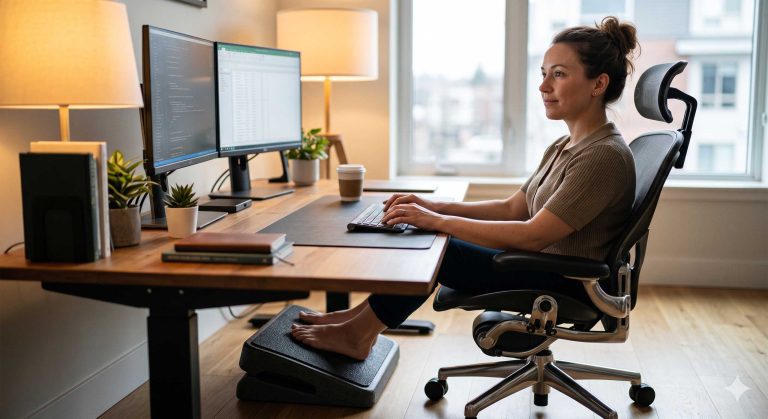
Since forward head posture is largely driven by looking down or forward at a screen, adjusting screen height is one of the most direct fixes available. For a computer monitor, aim to have the top third of the screen roughly at eye level, so you’re not tilting your head down to see the bulk of your content. For phones, try to bring the device up closer to eye level rather than tilting your head down toward it, particularly during longer sessions like reading or scrolling.
Rethink How You Use Your Phone
Phones are trickier than monitors since they’re inherently held lower and closer. A few adjustments help here: propping your phone on a stand at a higher angle during longer sessions, taking more frequent breaks during extended scrolling, and being mindful of how long you spend looking down at it during any single stretch.
Build in Regular Posture Breaks
Since sustained static posture compounds the strain from forward head positioning, breaking up long stretches of screen time matters as much as the angle itself. Aim to bring your head back to a neutral position and move your neck through its natural range of motion every 30 to 45 minutes. This doesn’t need to be a long break, even a minute of movement helps reset some of the accumulated tension.
Strengthen Supporting Muscles
Weak upper back and neck muscles make it easier to slip into forward head posture, since your body naturally seeks the position that requires the least active muscular effort, even if that position adds more passive load to your spine. Simple exercises like chin tucks, where you gently draw your chin straight back without tilting your head up or down, and shoulder blade squeezes can help build the strength needed to hold a more neutral posture more easily over time.
Stretch the Muscles That Tighten Most
Regular stretching for the upper trapezius and the muscles at the base of your skull can help ease tension that’s already built up. A simple ear-to-shoulder stretch, gently tilting your head toward one shoulder and holding for 20 to 30 seconds, targets the upper trapezius directly. Slow, controlled neck rotations in both directions can also help maintain range of motion.
Use Heat and Massage for Built-Up Tension
For tension that’s already accumulated, heat and massage tend to be genuinely effective at helping muscles relax. A neck and shoulder massager with a built in heat function lets you address the upper trapezius and shoulder area directly, combining warmth with kneading pressure in a single session, which can be more convenient than doing a full stretching routine every time you notice tightness.
Building a Sustainable Routine
The most effective approach to fixing tech neck combines a few of these methods consistently rather than relying on one alone. A realistic routine might look like this: adjust your screen height once and leave it, take a posture break every 45 minutes during work, do a couple of stretches midday, and use a heated neck massager for 15 to 20 minutes in the evening if your neck still feels tight. Consistency here tends to matter more than intensity.
Final Thoughts
Fixing tech neck comes down to reducing how much time you spend in forward head posture, breaking up static positioning throughout the day, and addressing tension that’s already accumulated with stretching, heat, or massage. None of these changes require dramatic effort, and combining a few of them consistently tends to make a real difference over time.
References:
- Spine-health, forward head posture’s effect on the cervical spine: https://www.spine-health.com/conditions/neck-pain/forward-head-postures-effect-cervical-spine
- Spine-health, how poor posture causes neck pain: https://www.spine-health.com/conditions/neck-pain/how-poor-posture-causes-neck-pain